

Configuration tab
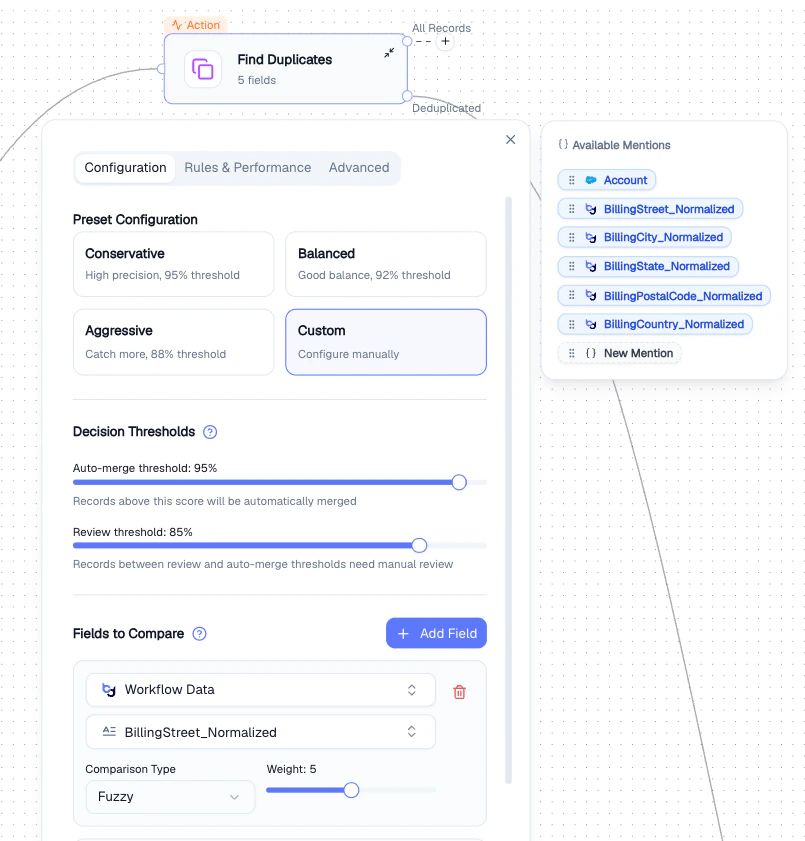
Find Duplicates - preset selection, thresholds, and field comparison
Rules & Performance tab
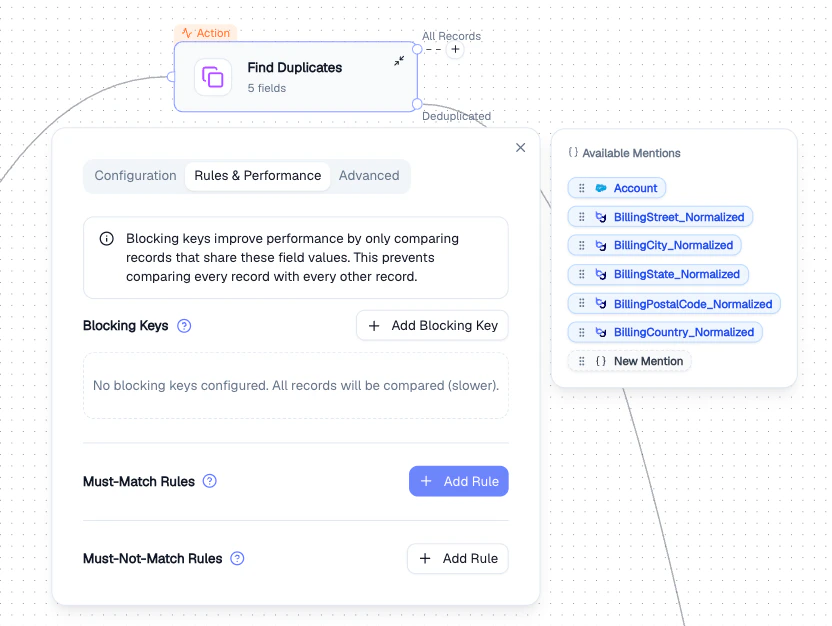
Find Duplicates - blocking keys and match rules
Advanced tab
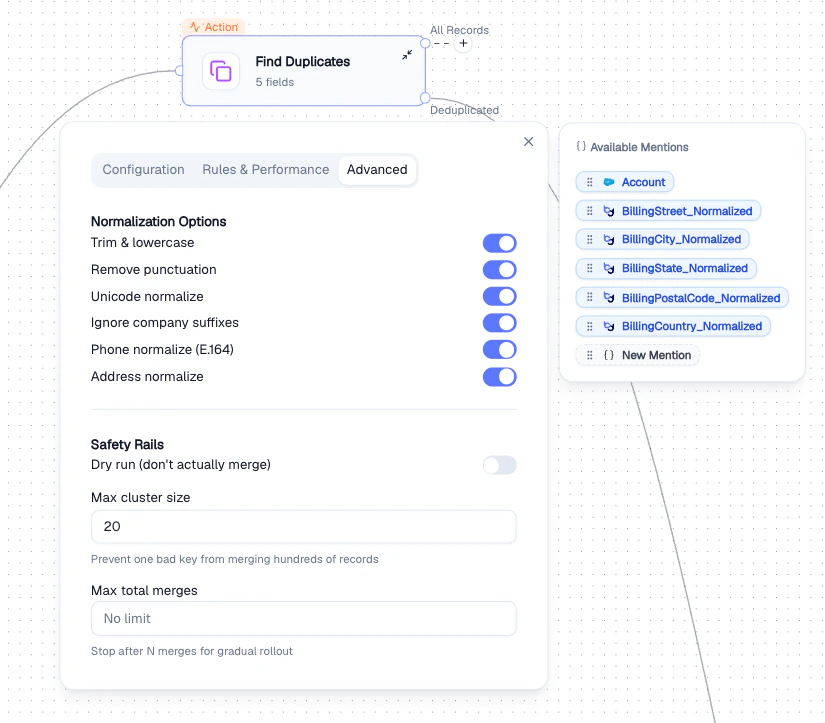
Find Duplicates - normalization options and safety rails
- Trim & lowercase
- Remove punctuation
- Unicode normalize
- Ignore company suffixes (e.g., “Inc”, “LLC”)
- Phone normalize (E.164)
- Address normalize
Output
Two output paths:- All Records - every record with duplicate scores attached
- Deduplicated - clean dataset with duplicates removed
Best Practices
- Start with the Balanced preset and adjust thresholds based on results
- Use Blocking Keys for large datasets - comparing every record pair is expensive
- Enable Dry run first to preview results before committing merges
- Set Max total merges for gradual rollout on critical data
Related Nodes
- Bond Node - matches records across different entities, not within the same dataset
- Data Normalization - clean field values before duplicate detection for better accuracy