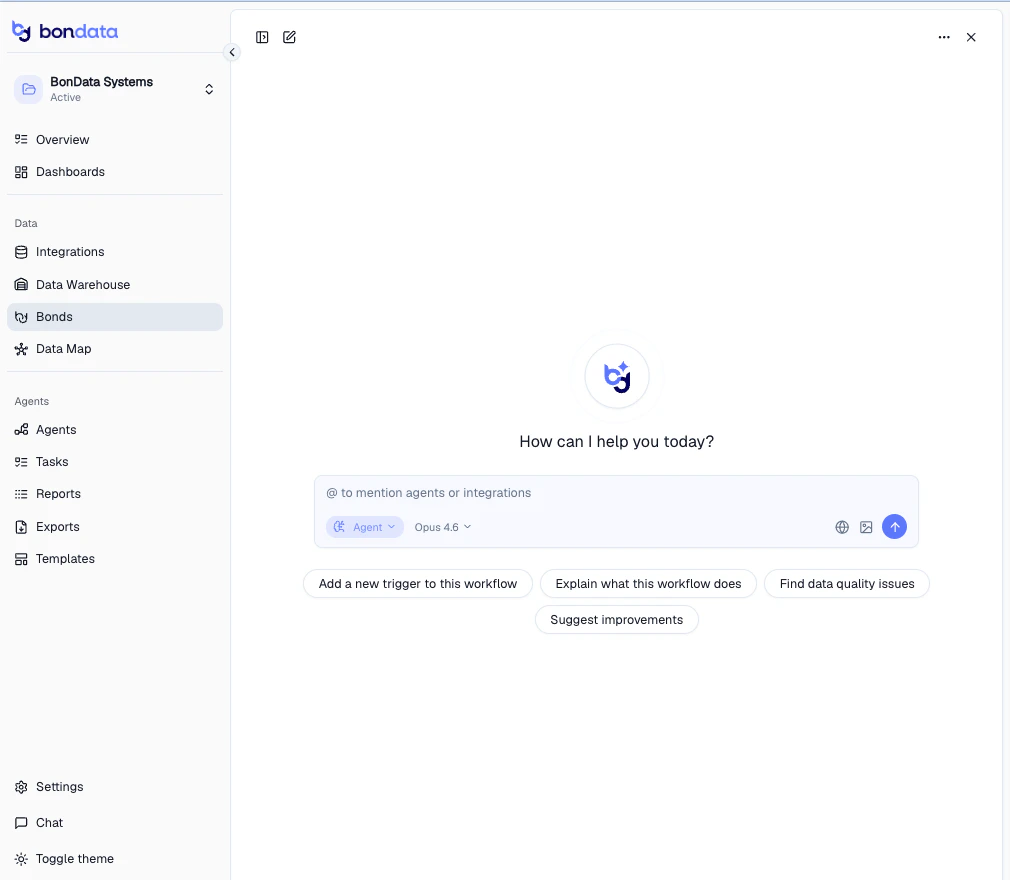
BonData’s AI Chat is a conversational interface that connects directly to your data. Ask questions, run analyses, fix data quality issues, build pipelines, and more — all through natural language. Click Chat in the sidebar to get started. Type your question in the input field, or use one of the quick action buttons. Use @ to mention specific Agents or integrations for context.

What Chat can do

Chat is not just a Q&A tool — it’s a full data assistant that can take action across your connected systems.
CapabilityExample
Analyze data”Show me the data distribution across my integrations”
Find duplicates”Can you share a list of duplications in my Salesforce contacts?”
Fix data quality”Find and fix missing email fields in my CRM”
Build pipelines”Create an Agent that syncs new Salesforce leads to Snowflake”
Run analytics”What’s my total revenue by region this quarter?”
Generate charts”Visualize data volume by table”
Explain workflows”What does my lead routing Agent do?”
Suggest improvements”How can I improve my data quality across systems?”
Quick action buttons help you get started:
  • Add a new trigger to this workflow — modify an existing Agent
  • Explain what this workflow does — get a plain-language breakdown of an Agent
  • Find data quality issues — scan your data for problems
  • Suggest improvements — get recommendations based on your setup

Chat modes

Switch between two modes using the selector at the bottom of the chat input.
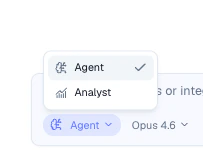
ModePurpose
AgentTakes action — builds Agents, fixes data, creates records, modifies workflows
AnalystRead-only analysis — queries data, generates charts, summarizes findings
Use Analyst mode when you want to explore your data safely without making changes. Switch to Agent mode when you’re ready to act on the results.

Conversation history

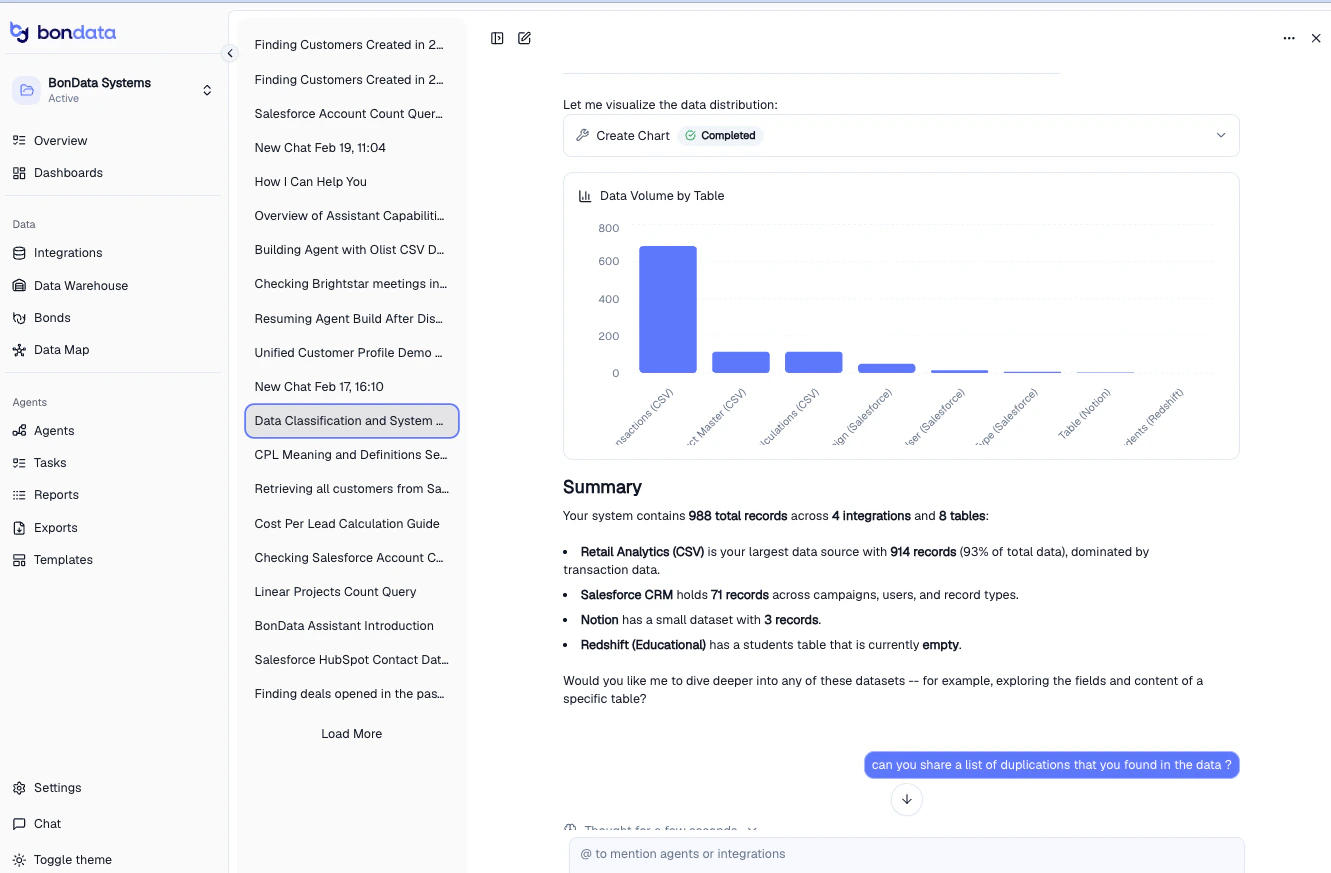
All conversations are saved in the left panel. Click any previous chat to pick up where you left off. Chat retains full context — including charts, summaries, and action results.
Chat works best when your integrations and entities are set up. The more data sources you connect, the more Chat can do for you.