

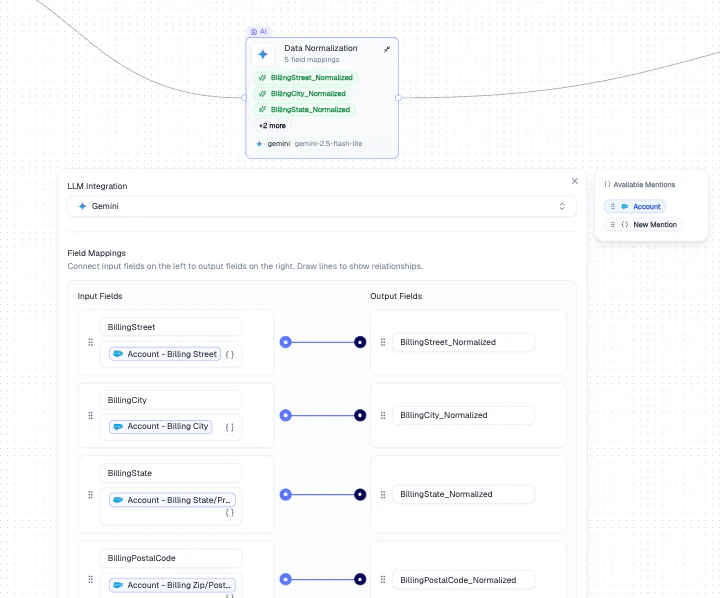
Data Normalization node with input-to-output field mappings
Configuration
How It Works
1
Define input fields
Select the fields from your data that need normalization (e.g.,
BillingStreet, BillingCity).2
Map to output fields
Map each input to a normalized output field (e.g.,
BillingStreet_Normalized).3
LLM processes records
The LLM processes each record and writes cleaned values to the output fields.
Output
Normalized output fields become available as Mentions in all downstream nodes.Example
Standardize addresses across a Salesforce Account dataset:- Map
BillingStreet,BillingCity,BillingStateas inputs - Create normalized output fields for each
- The LLM cleans formatting inconsistencies (e.g., “123 Main St.” → “123 Main Street”)
Best Practices
- Use specific, descriptive output field names to avoid confusion downstream
- Test with a small batch first to verify the LLM produces the expected format
- Choose the right LLM - faster models for simple formatting, stronger models for complex transformations
Related Nodes
- AI Enrichment - uses an LLM prompt to generate new data rather than cleaning existing fields
- Transform - applies rule-based transformations without an LLM
- Regex Pattern - extracts or replaces text using regular expressions