

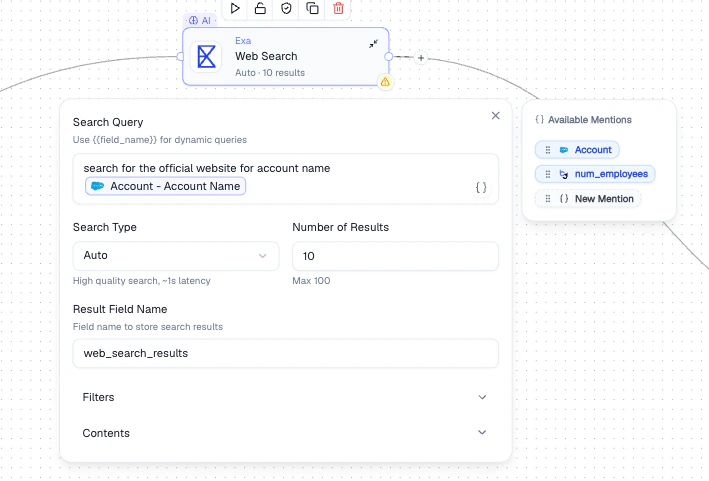
Web Search node - dynamic query with Mentions, search type, and result configuration
Configuration
How It Works
1
Write a search query
Compose the query using Mentions to make it dynamic per record (e.g.,
{{Company Name}} official website).2
Choose search type
Select Auto for best quality, Keyword for exact term matching, or Neural for semantic search.
3
Configure filters and output
Optionally filter by domain or date, choose how many results to return, and name the output field.
Output
A new field containing the search results is added to each record. The field becomes available as a Mention in all downstream nodes.Best Practices
- Use Mentions to make queries dynamic per record
- Set domain filters to focus results (e.g., only
linkedin.comfor profile lookups) - Start with a small number of results per query and increase if needed
- Use Neural search for conceptual queries, Keyword for exact terms
Related Nodes
- AI Enrichment - enrich records using LLM-generated content instead of web data
- HTTP Request - call a specific API endpoint rather than performing a web search