

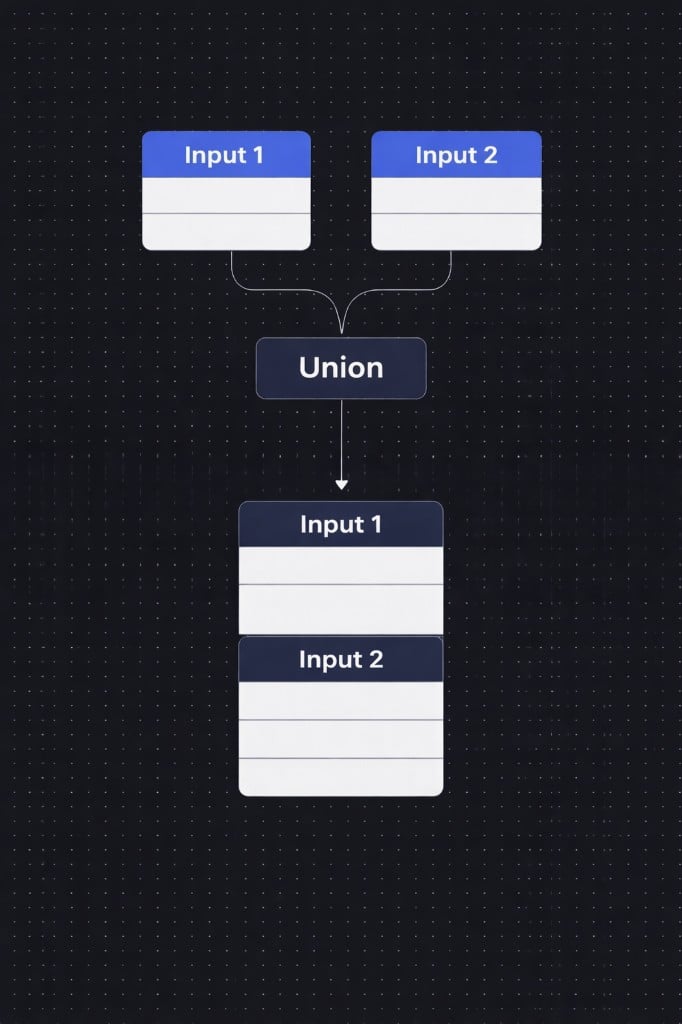
Two inputs stacked vertically by the Union node
Basic Example
Input 1
Input 2
Result (Union)
How it works
1
Connect two inputs
Drag two data streams into the Union node. These can come from any upstream nodes in your workflow.2
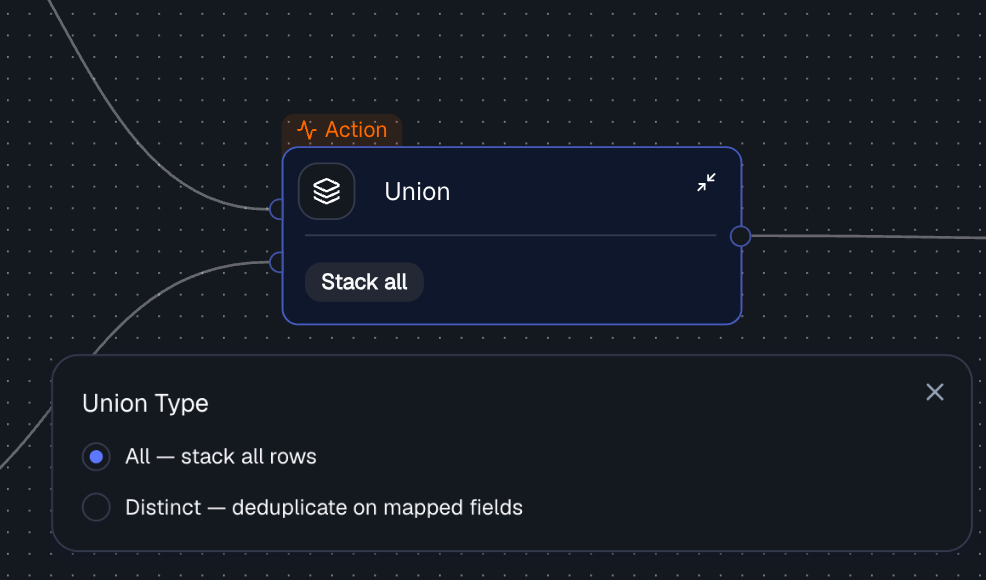
3
Configure dedup settings (optional)
When using Distinct mode, configure which fields define uniqueness and which input wins on duplicates.Dedup Key - select which fields from each input correspond to each other. These field pairs define uniqueness for deduplication. You can add multiple fields for a composite key (e.g.,ID + Date).Priority - when duplicates are found, controls which input’s row is kept.
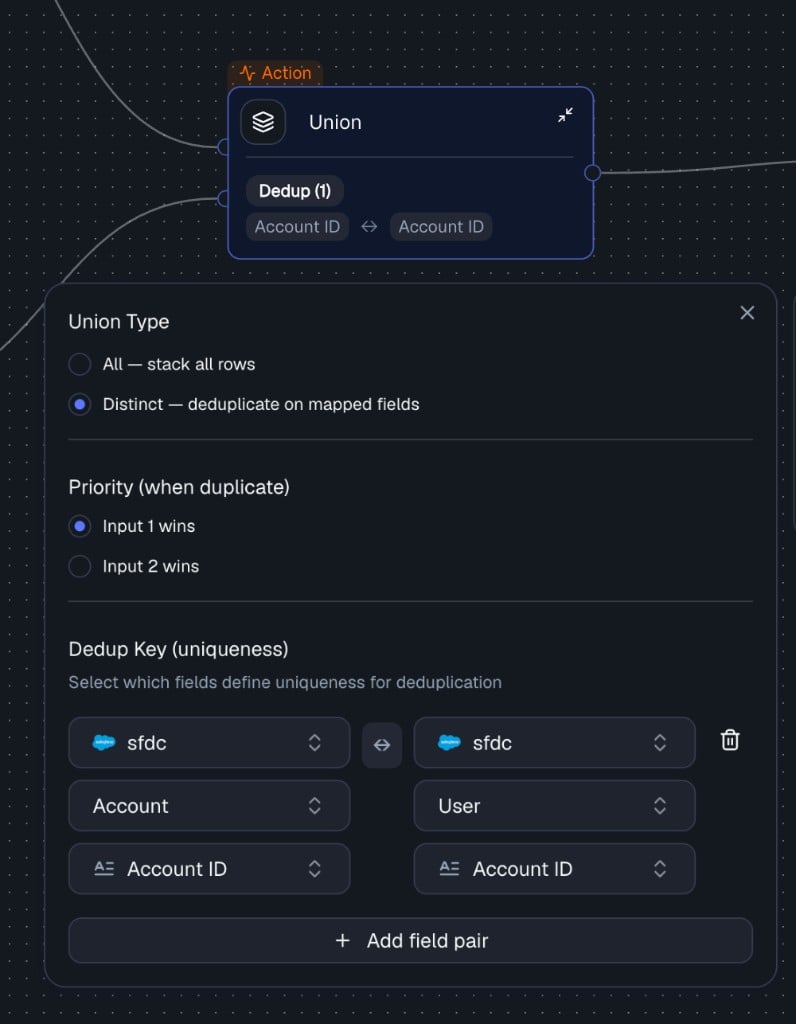
Distinct mode with priority and dedup key configuration
Field mappings are required when using Distinct mode. In All mode they are optional - rows are simply stacked.
Output
The Union node produces a single output stream containing the combined rows from both inputs. The output is available as an input to any downstream node in your workflow.Example with Deduplication
Input 1
Input 2
Configuration: Distinct, Dedup Key:
ID, Priority: Input 1 wins
Result:
All vs Distinct
When using All, if both tables contain the same record, the result will include it twice:
When using Distinct, duplicates are removed based on the dedup key, keeping only one row per unique combination.
Union vs Merge vs Bond
Best Practices
- Ensure inputs have compatible schemas (same fields and meaning)
- Use All when you want full data coverage and duplicates are acceptable
- Use Distinct when you need a clean dataset and duplicate records must be removed
- Carefully define dedup keys and priority rules
Common Pitfalls
- Mismatched columns - same name but different meaning across inputs
- Missing dedup key - leads to incorrect duplicate removal
- Over-aggressive deduplication - can cause data loss
Related Nodes
- Merge Node - joins two datasets side-by-side rather than stacking vertically
- Bond Node - creates logical relationships between entities