

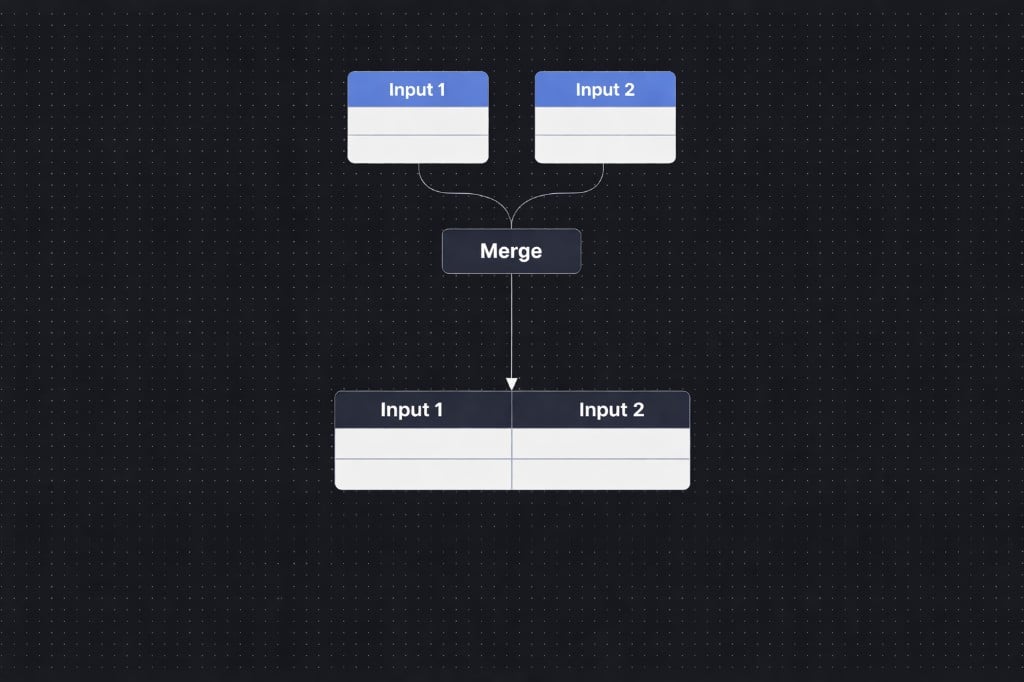
Two inputs flowing into a Merge node
Basic Example
Input 1
Input 2
Result (Match field: ID)
How it works
1
Connect two inputs
Drag two data streams into the Merge node. These can come from any upstream nodes in your workflow - Get Data, Filter, another Merge, etc.2
Choose the match fields
Specify which fields to join on between the two inputs (e.g., Account ID from Input 1 = Account ID from Input 2). You can add multiple field pairs to create a composite key - records must match on all mapped fields.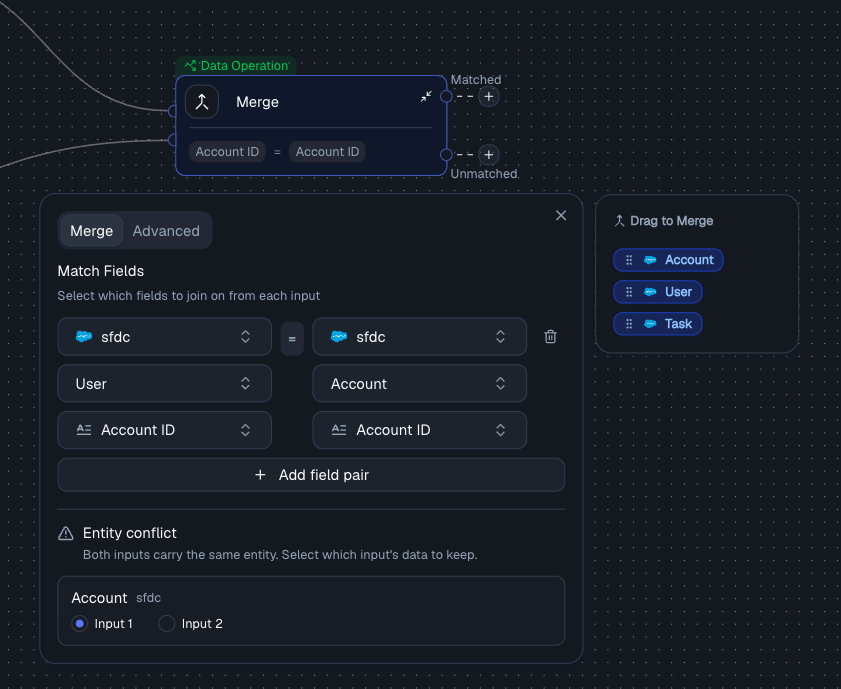
Configuring match fields and resolving entity conflicts
3
Resolve conflicts
If both inputs carry the same entity, pick whether to keep the data from Input 1 or Input 2.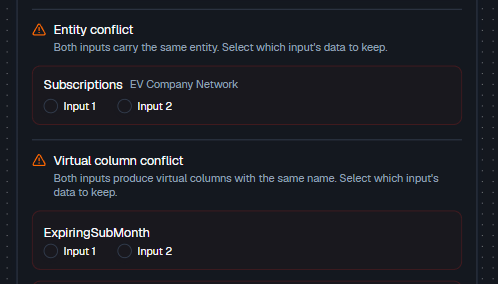
Entity and virtual column conflict resolution
4
Choose a join type (optional)
Under the Advanced tab, select a join type to control which records appear in the output. The default is Match & Track.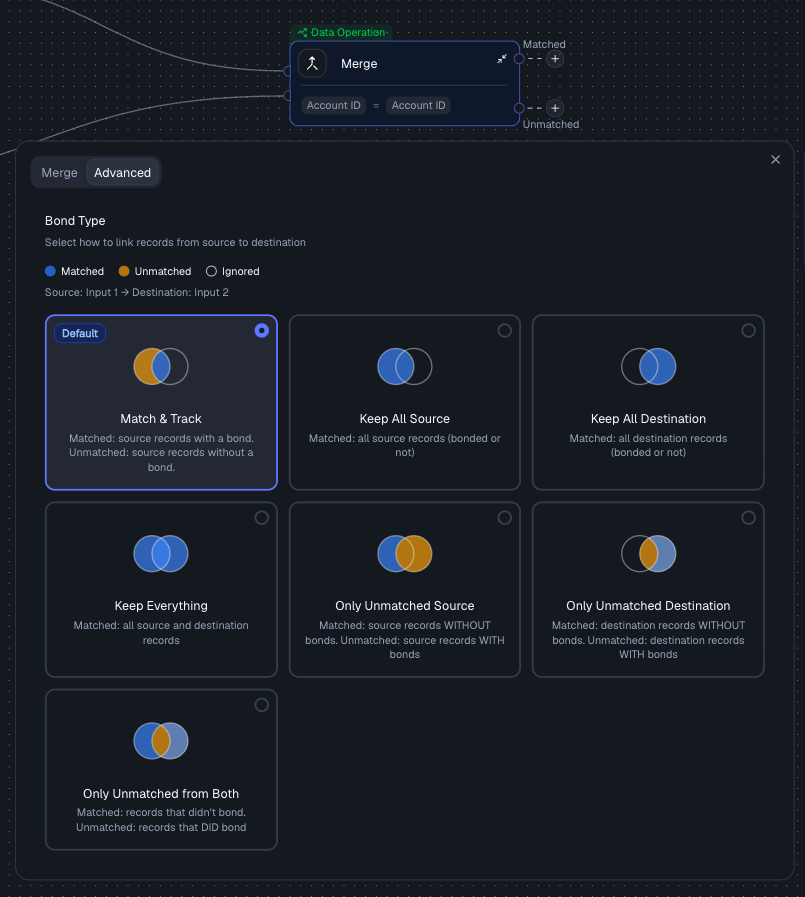
Choosing a join type under the Advanced tab
The Merge node joins two data streams that are already flowing through your workflow. To pull in new data from a connected integration based on a Bond, use the Get Data node instead.
Output
The Merge node produces two output streams:
Both outputs are available as inputs to downstream nodes in your workflow.
Example with join types
Input 1 (Subscriptions)
Input 2 (Ages)
Match Field:
ID
Match & Track (Inner Join)
Matched:
Unmatched:
Keep All Source (Left Join)
Keep Everything (Full Outer Join)
(+ any unmatched from Input 2 if present)
Merge vs Bond
Best Practices
- Always verify your match fields - IDs should align exactly
- Use multiple fields if a single key is not unique
- Resolve conflicts intentionally - don’t default blindly
- Check Unmatched output to catch missing data
- Choose merge mode based on your goal:
- Analysis → Keep Everything
- Clean dataset → Match & Track
- Debugging → Unmatched modes
Related Nodes
- Bond Node - creates logical relationships between entities rather than producing a flattened table
- Union Node - stacks rows vertically instead of joining side-by-side